
Search basics
Universal search finds supported BackerBase profiles and source records. Search is designed for discovery; the returned result type and supporting context determine whether a match is relevant.
Where to begin
Section titled “Where to begin”Use either search entry point:
- Select the search control in the application header. On a keyboard, press
Command Kon macOS orControl Kon other supported systems. - Open Search all records (
/search) for a full-page result that can be bookmarked or saved.
Enter at least two characters. Search waits briefly while you type, then groups matching records by type.
What search covers
Section titled “What search covers”Search currently returns supported records from these groups:
- candidates;
- people with accepted identities;
- source-listed contributors;
- elected officials;
- candidate committees with an available profile;
- accepted vendors and spending recipients;
- business profiles;
- Louisiana Secretary of State businesses and source-listed roles;
- parish assessor owner and property observations; and
- nonprofits.
Useful identifiers include complete FEC IDs, nonprofit EINs, Louisiana SOS charter numbers, and supported property or parcel identifiers.
Search is not a general web search and does not guarantee that every record available in BackerBase has a searchable profile.
Search by name
Section titled “Search by name”- Begin with the most distinctive version of the person or organization name.
- Review the group label and identity label for each result.
- Compare context such as office, committee, location, organization, or identifier.
- Expand grouped related records when present.
- Open the record only after the identity and context are plausible.
For a broad organization name, add a distinctive word before assuming there is no match. For a person, try a shorter form of the name if a middle name, suffix, punctuation, or filing variation may differ.
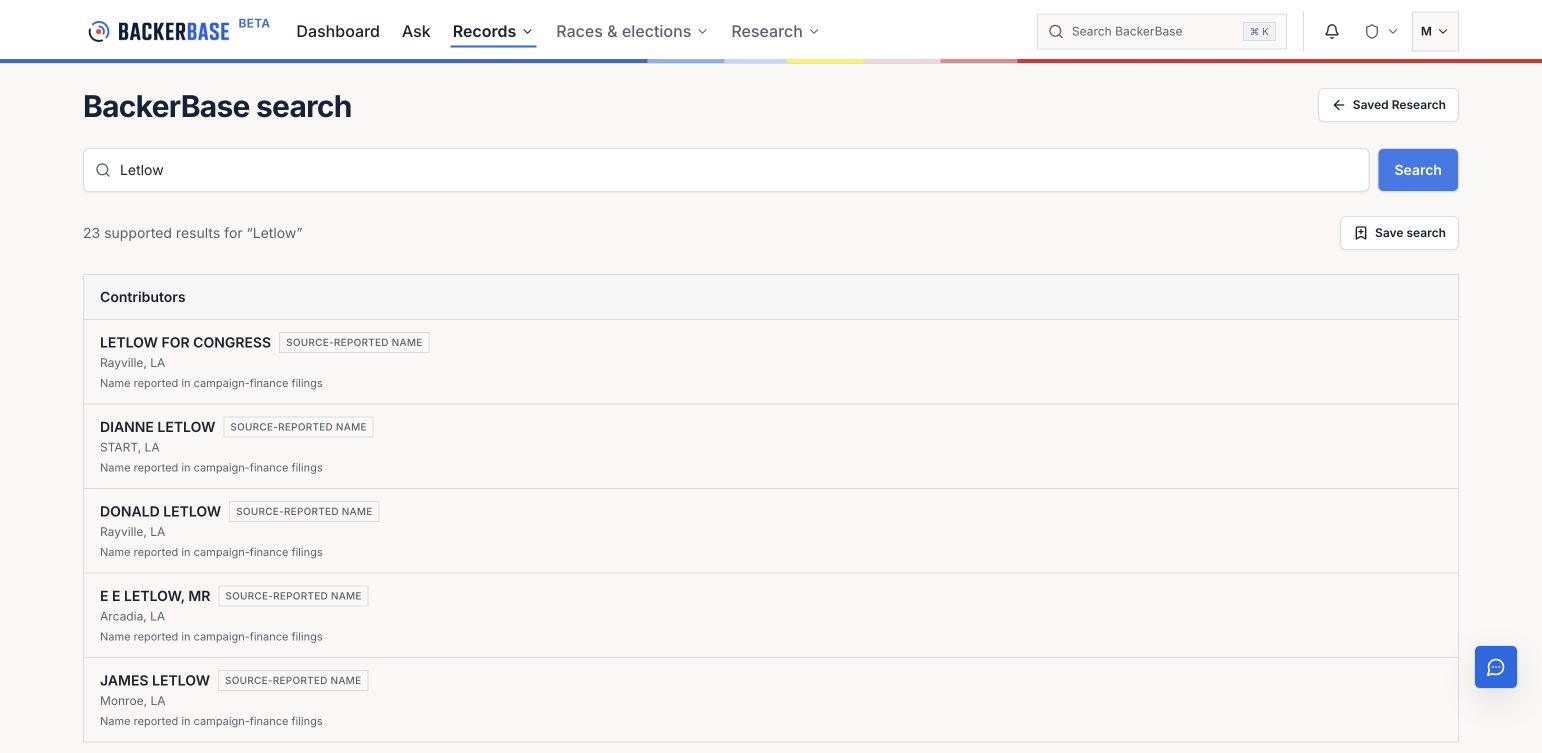
Select an image to view it at full size. Screens captured September 7, 2026; example records and totals can change.
Search by identifier
Section titled “Search by identifier”Use a complete identifier when possible. Exact identifiers rank ahead of similar names and are the strongest way to distinguish records with the same name.
Check the identifier label before opening the result. An EIN, FEC ID, charter number, and parcel identifier refer to different source systems and should not be treated as interchangeable organization IDs.
Interpret grouped results
Section titled “Interpret grouped results”Accepted identity or role
Section titled “Accepted identity or role”Some records are grouped because BackerBase has an accepted identity or public-role connection. The child record still represents its own source or profile context.
Affiliated organization
Section titled “Affiliated organization”A committee or organization may be grouped near a person when the available records provide relevant context. Open the underlying record to see what the source establishes.
Possible same-name records
Section titled “Possible same-name records”Possible same-name records are grouped by name only. They may refer to different people or organizations. Review the source evidence before treating them as one identity.
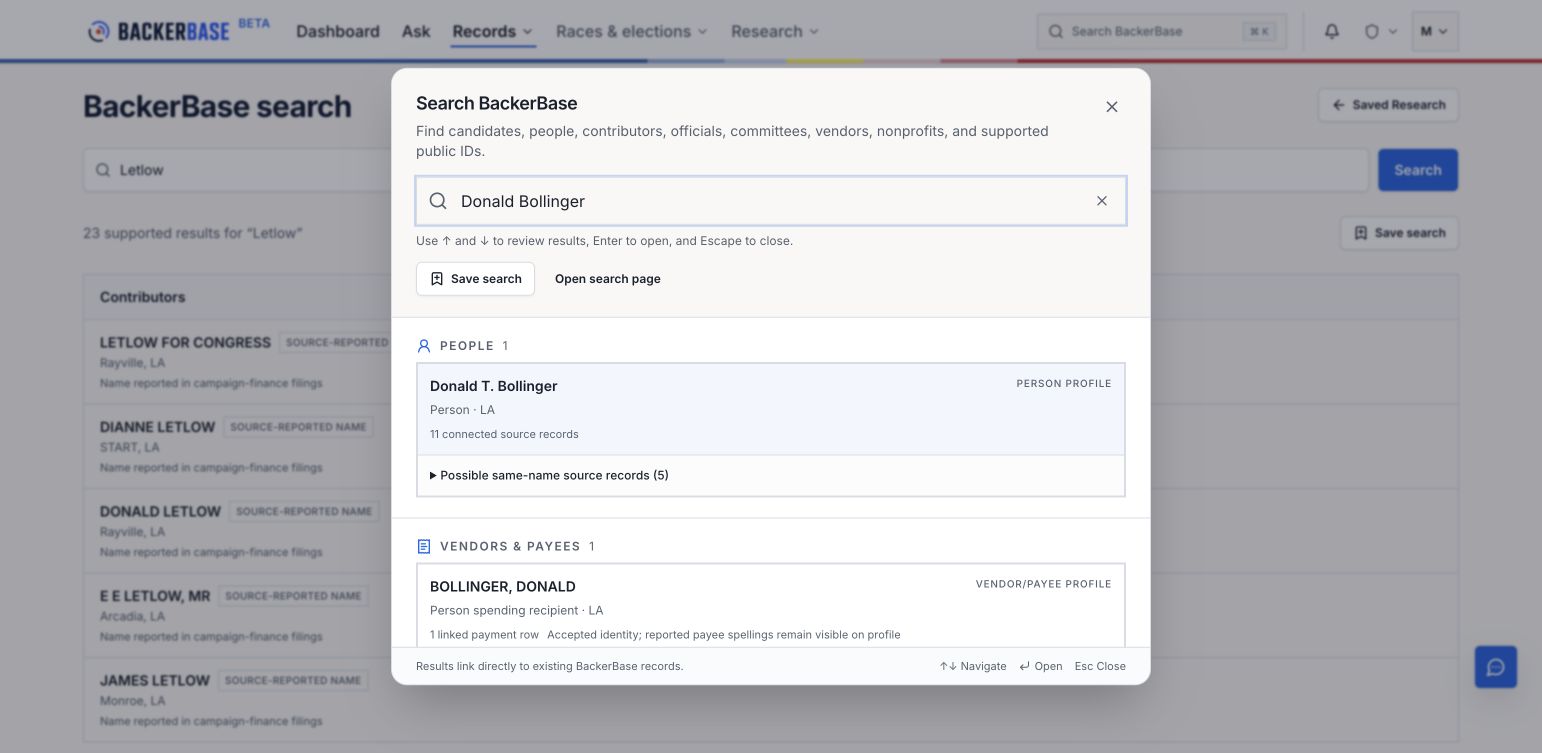
The Possible same-name source records group remains separate from the person profile. Expand it to check the underlying records before assuming they describe the same person.
Save a search
Section titled “Save a search”After results load, select Save search when you want to return to the query from Saved research (/saved-research).
A saved search preserves the query and supported search scope. It does not freeze a copy of the result set. Results can change as records are added, corrected, reclassified, or temporarily unavailable.
If search is partial
Section titled “If search is partial”A partial-results notice means one or more search sources did not complete. The displayed results are usable, but they are not the complete response BackerBase attempted to assemble.
- Retry the search after a short interval.
- Open Data status and methodology (
/data-status) when the missing group depends on source availability. - Treat a saved query as the search scope, not as proof that the partial result set was complete.
If search returns no results
Section titled “If search returns no results”Try these changes one at a time:
- Shorten the name or remove punctuation, a suffix, or a middle name.
- Try the organization’s legal name or a known filing variation.
- Use a complete identifier instead of a name.
- Search a related person, committee, business, nonprofit, or address record.
- Check whether the expected record type is included in current search coverage.
- Review Data sources and coverage.
No result is not evidence that a person, transaction, filing, property, or relationship does not exist.
Keyboard controls
Section titled “Keyboard controls”In the global search dialog:
- use the Up and Down Arrow keys to move through results;
- press Enter to open the selected result;
- press Escape to close search; and
- use the clear control to remove the current query.
Verify the result
Section titled “Verify the result”After opening a result:
- Confirm the displayed name and identifiers.
- Check source, jurisdiction, office, organization, or location context.
- Review the period or as-of date attached to the relevant data.
- Open source or evidence links before relying on the record.
- Treat unresolved or possible matches as uncertain.